
Field types reference
A plain-language guide to every kind of field you can add to a content type.
When you build a content type you choose a type for each field. The type decides the editing control your client sees and how the field behaves. Here is the full set.
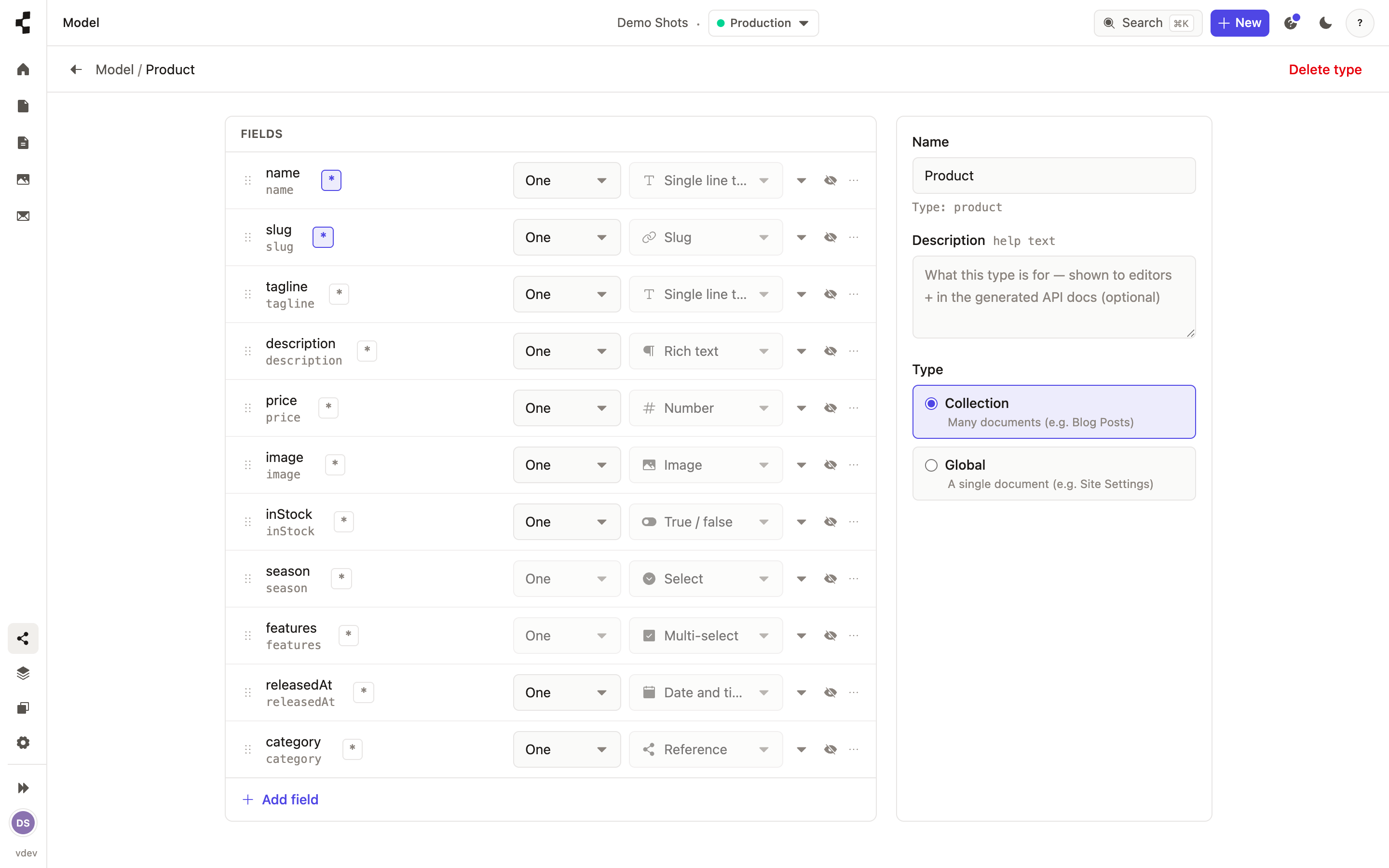
Text — a single line, for a title or a name.
Rich text — a full editor with headings, lists, links and images, for a body.
Number — a whole or decimal number, for a price or a count.
Yes / no — a simple on-off toggle.
Date & time — a date picker, for a publish date or an event.
Slug — the url-safe part of a web address, usually built from the title.
Image — pick or upload a picture from your media library.
Reference — a link to another entry, like a post to its author.
List — several values of the same kind, such as a set of tags.
Group — a small set of related fields kept together, like an address.
Location — a map point, for a place or an address.
Two of these deserve their own page: Linking content with references and What is a stack? (for reusable groups you drop onto pages).