
← All help articles
Content types & schema
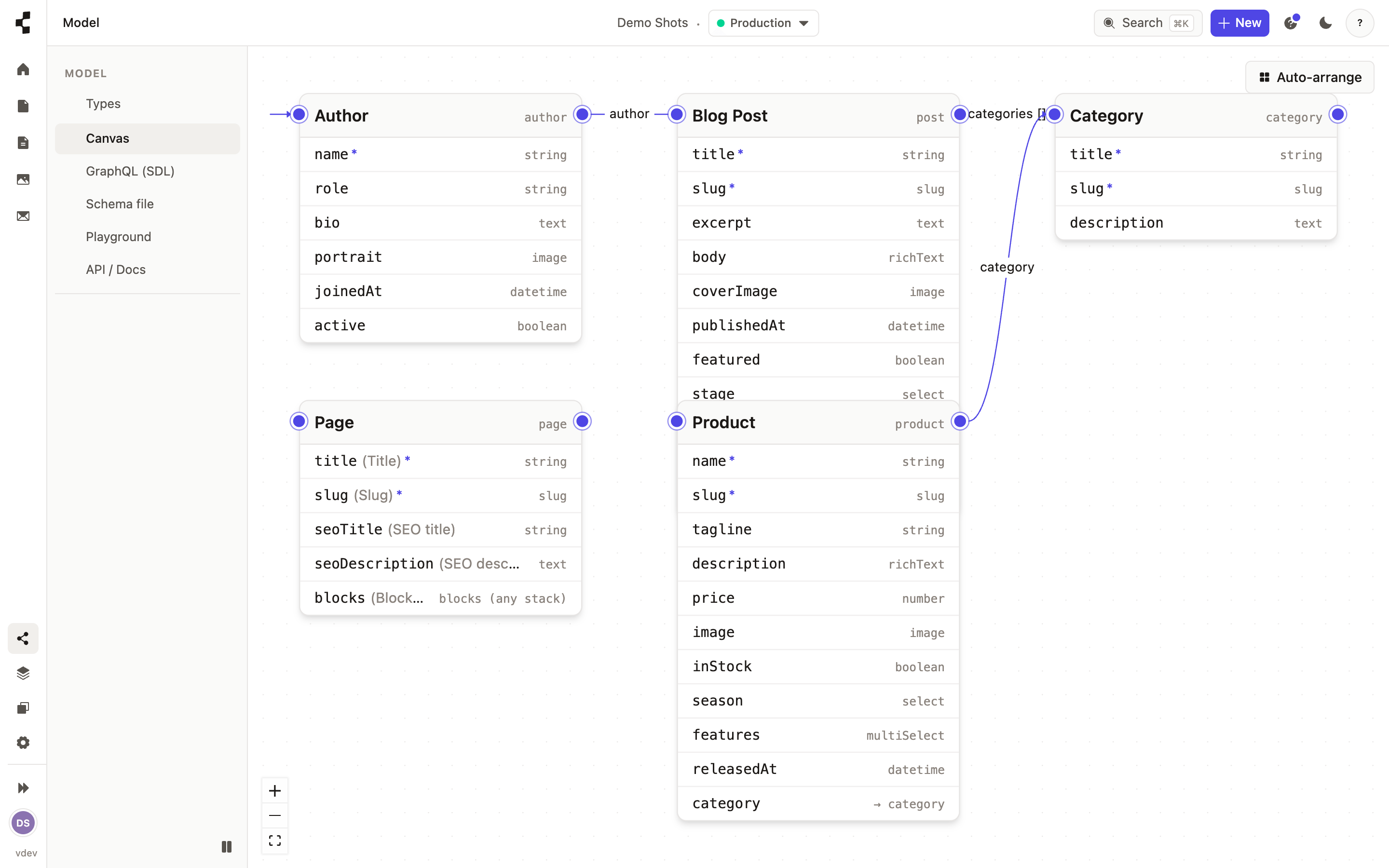
How do I create a content type?
Define the shape of a kind of content — a Post, a Recipe, a Team member.
A content type is the shape of one kind of content: what a Blog post is, what a Team member is. Open Model, press New content type, give it a name, then add fields — a single line of text, a longer rich-text body, a date, an image, a link to another entry.
The moment you save, everything else follows automatically: the editing form your client uses, and the API your front end reads. There is no rebuild and no deploy step.
Adding a field is always safe. Renaming or removing one affects entries that already use it, so the Studio warns you first. Next: How do I add my first entry?.